To set the stake,
click the Stake button. This transfers funds from your account into the
stake. If you go over your intended stake, continuing to click the Stake
button will eventually return the stake amount to the minimum again.
IMPORTANT:
See also the "About the Bet Max button" section.
Traditionally, the win line
is the centre line running across the reels. Symbols must appear on the
win line as indicated on the paytable in order to win. This game allows
the possibility of choosing up to 20 win lines per game. You select how
many win-lines to play with the Lines button. Each line you choose will
have one unit of the stake you have selected (in step 1) attached to it,
as each line can win separately in any single game. If you ignore the
Lines button, then the default setting for the game will be used, which
is all 20 lines.
Each click of the Lines button moves the line
selection from 1 through to 20 respectively. Each click of the lines
button adds one line to the selection. If you continue to click the
lines button after 20, the cycle starts again at 1 line. The win line(s)
and reel positions illuminate with each press of the button. Animations
highlight each reel position and a "pathway" is shown making line
selection clear and easy.
To make things even clearer each line its
own progressively colour coded button/indicator; starting with 1 (red)
through to 20 (violet/purple).
It
is possible to add or remove specific lines from those selected with
the lines button. The line indicators (labelled 1-20 and colour coded)
serve as buttons which can be used to add or remove win-lines from the
selection. The individual line buttons are click on (illuminated), click
off (not illuminated):
• To remove a selected line, click on the
respective line number
• To add a line, click on the respective line
number
NOTE: Win lines pay left to right ONLY (except scatter
Icon).
The Bet Max button
is a feature which enables bigger spending customers to place large
bets quickly. If you click the Bet Max button; any stake/lines
previously set will be overridden.
PLEASE BE AWARE OF THE
FOLLOWING:
When the bet max button is selected, the stake and
lines will be set automatically as follows;
Bet Max = Maximum stake
allowed/maximum number of lines playable AND playing all lines
available.
All
of the information inputted so far is displayed just under the
reels.Now click the Spin button to spin the reels to start the game.
When the reels stop, any wins will be registered automatically and added
to your account (if you collect the win).
If
you press the Auto button, this will automatically start each game
without pressing the spin button. Each game will start automatically
until you get a win or something that requires player intervention like
free spins. In Auto mode the Spin button becomes the Stop button, which
is selected to resume manual play again.
If
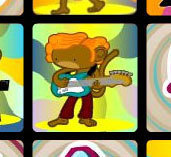
3 or more scatter icons (Dancing Monkey) appear ANYWHERE in the result
of a game, the free play feature is triggered. The number of lines
selected for play does not affect the way the scatters are triggered;
the scatter icons can appear in any of the 15 visible reel positions.
The
Wild Icon does not count as a scatter Icon.
You need at least 3
scatters in a single result to trigger the Free Play feature. How many
free plays you get depends on how many scatter icons trigger the
feature:
• 3 scatters = 15 free plays - plus x2 the total stake
that triggered the free plays*
• 4 scatters = 20 free plays - plus x3
the total stake that triggered the free plays*
• 5 scatters = 25
free plays - plus x10 the total stake that triggered the free plays*
What
happens if I get 3 or more Scatter Icons in a single game?
If
you get 3, 4 or 5 scatters in the result of a single game, any other
wins will be credited to your account, then the scatter icons will
illuminate with a small animation. The talkback pane will inform you
that you have won X (number depends on how many scatters in the result)
free plays, then the free plays will begin automatically... you do not
have to do anything.
• Free plays are free spins that start
automatically and consecutively until they are exhausted.
• Before
the free plays start the talkback area will display the all the free
spins remaining on the left of the display. The right side will display
the total win amount generated from the free spins.
• If you get 3 or
more scatter icons in a single spin during the free plays, you will
receive the line stake bonus as described above and the extra free plays
will be added to the existing total and played out immediately after
the first set of free plays. Extra free plays are possible more than
once in a feature.
• The stake and number of lines selected in the
game that triggered the free plays will be used for the duration of the
free play period.
• Free Spin wins that contain a wild card pay X2
the standard paytable win; the same rule applies in "normal" play.
The wild icon will substitute for any
icon (except the scatter icon) to make the best win possible. In
addition, the wild Icon doubles (X2) the paytable value of any win it is
apart of. Including any Normal paytable win and any Free spin win.
Note:
2 or more wild card icons being part of a win do not increase the bonus
payout.
Example: Any 2 win Icons and 2 wild icons consecutive (left
to right) on a win line would create a payout for 4 of the "non wild"
icons that created the win, plus a x2 wild bonus.
Click the Paytable button to view the win multiples
and icon list for the game. Payouts are shown in multiples of the
winning line stake. A minimum of three consecutive icons from left to
right on an active win line is required to win. The only exception is
the scatter icon, which is explained in its own section.